



Fat Pirate Casino App: Is There a Real Download, or Just Mobile Web? (AU 2026)
Searches for a Fat Pirate Casino app are common, and the honest expert answer is the one most "download" pages avoid: there is no verified native Fat Pirate app to install. The platform runs through a responsive mobile browser, and the so-called Fat Pirate app download links and "APK" files circulating on third-party sites are almost certainly fakes. This guide explains how to play Fat Pirate on mobile properly, how to create an app-like shortcut safely, and how to recognise the counterfeit downloads that put Australian players at risk.
Does Fat Pirate Have a Native App? The Honest Answer

Independent checks of both the Apple App Store and Google Play return no official Fat Pirate Casino application. Some affiliate pages claim a dedicated app exists, but that claim could not be verified and contradicts what the stores actually list. This is not unusual for offshore casinos: Apple and Google maintain strict policies on real-money gambling apps, and many such operators simply do not publish one. For players asking "does Fat Pirate have an app for Android or iOS", the practical answer is that the mobile website is the only legitimate way in.
| Feature | Native App | Fat Pirate Mobile Web |
| Install required | Yes | No |
| Storage used | Yes | Minimal |
| Auto-updates | Manual updates | Always current |
| Full game range | Often limited | Complete library |
| Safety (verified source) | Risk if from outside stores | Official domain only |
How to Play Fat Pirate on Mobile (No Download Needed)
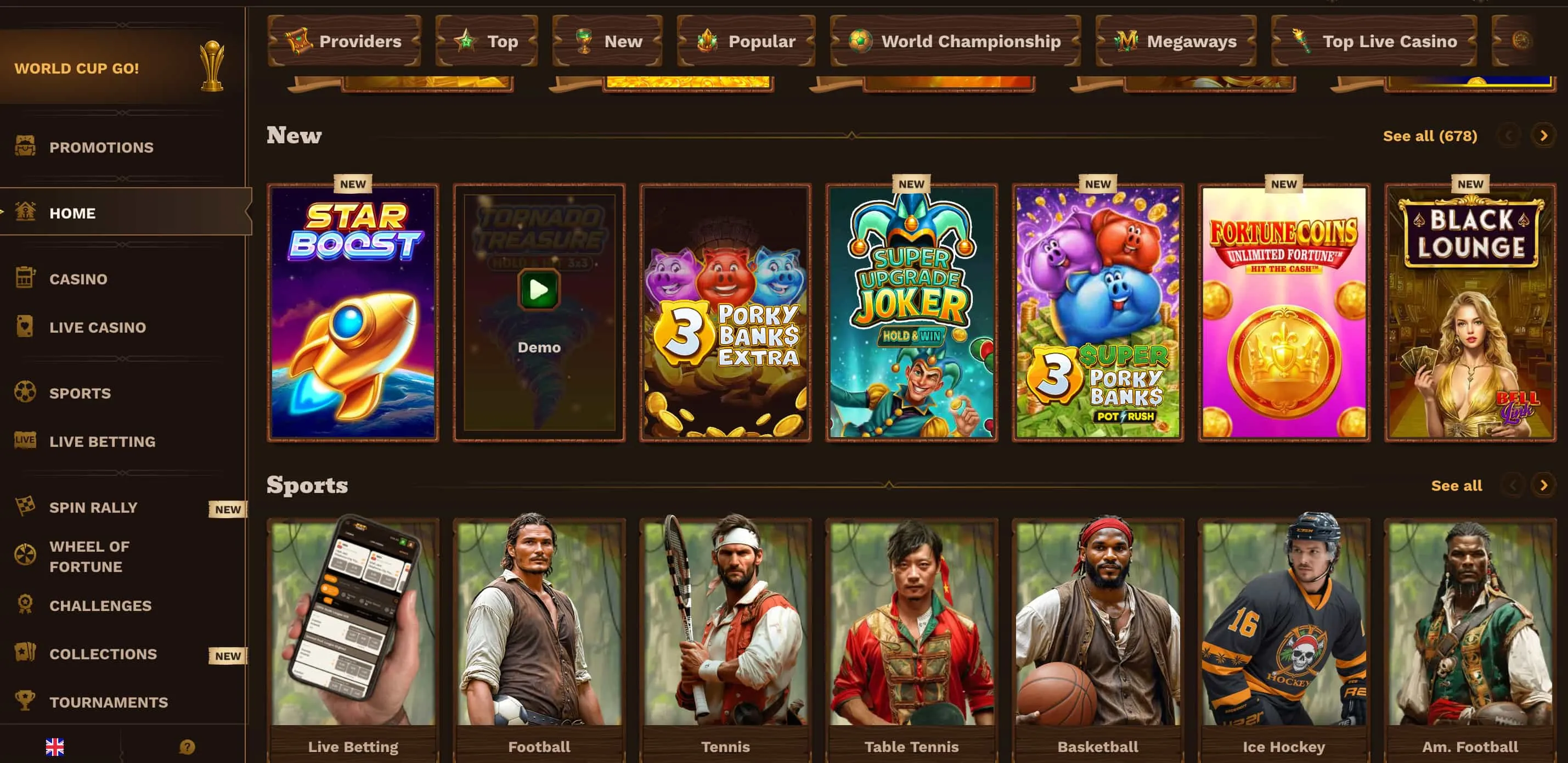
Playing Fat Pirate on mobile requires nothing more than a browser. Because the site is fully responsive, the Fat Pirate mobile experience delivers the same pokies, live casino, sportsbook and banking as the desktop version, on a single shared wallet. Experts treat the browser route as the standard method, not a lesser one — there is nothing to install, nothing to update, and the full game range stays available.
- Open Safari (iOS) or Chrome (Android) and go to the official Fat Pirate Casino site.
- Log in to an existing account or register directly in the browser.
- Access slots, live tables, sportsbook and the cashier exactly as on desktop.
- Manage deposits and withdrawals from the same mobile interface.
Add Fat Pirate to a Home Screen (iOS and Android)
For players who want an app-like icon, a home-screen shortcut delivers it without any external download. This is a bookmark, not an installation — nothing is downloaded from outside the official store, which is exactly why it is safe.
- iOS (Safari): open the site, tap the Share icon, choose Add to Home Screen, then confirm.
- Android (Chrome): open the site, tap the menu, select Add to Home screen, then confirm.
The result looks and launches like an app icon but simply opens the verified mobile site.
Beware Fake "Fat Pirate App" Downloads and Mirror Sites
The most important safety point on this page concerns counterfeits. Files marketed as a fake Fat Pirate app, "Fat Pirate APK" downloads, and mirror sites such as "Fat Pirate 3" are a frequent source of phishing and malware. These mirrors often proliferate after ACMA blocks an offshore domain, stepping in to capture players searching for the real site. Because they sit outside any app store review, they carry no safety guarantee and may harvest login or payment details.
Reviewers recommend a short verification routine before entering any credentials, and never installing a casino "APK" from a search result or message link.
- Confirm the exact official domain spelling before logging in.
- Check for a valid secure (HTTPS) connection.
- Treat any "download the app / APK" prompt as a red flag — no native app exists.
- Reach the site only through official, verified links, not pop-ups or ads.
Mobile Experience: What Works and What Feels Heavy
On performance, independent testing found the responsive design works well for browsing and game launch, with deposits, withdrawals and 24/7 live chat all reachable from a phone. The main drawback echoes a wider industry pattern: the interface can feel heavy on mobile, with provider logos and large tables slowing load on weaker connections. Touch navigation is otherwise clean. The broader speed and performance notes are covered in the full review.
| Works Well | Could Be Better |
| Full game library in-browser | Heavy pages on slow connections |
| Banking and cashier on mobile | Large assets affect load speed |
| Live chat accessible from phone | No native app convenience |
No App to Install — Play Safely From a Browser
The expert recommendation is simple: skip any third-party "APK" or app download, open the official site in a mobile browser, and add it to the home screen for one-tap access. That approach gives the full Fat Pirate experience without the security risk of counterfeit files. As with all gambling, play is strictly 18+, and responsible-gambling tools and support remain available on every screen. T&Cs apply, 18+.
Mobile and App FAQ
Does Fat Pirate Casino have a downloadable app?
No verified native app exists in the Apple App Store or Google Play. The casino is accessed through a responsive mobile browser, and third-party "app" or "APK" downloads should be treated as unsafe.
How does a player access Fat Pirate on a phone?
Open the official site in Safari or Chrome and log in. The mobile browser provides the full library — pokies, live casino and sportsbook — plus banking, on the same wallet as desktop.
Are "Fat Pirate APK" or mirror downloads safe?
No. APK files and mirror sites such as "Fat Pirate 3" are common sources of phishing and malware, often appearing after ACMA blocks the real domain. They sit outside store review and may steal login or payment data.
How is Fat Pirate added to a home screen?
On iOS, use Safari's Share menu and choose Add to Home Screen; on Android, use the Chrome menu and select Add to Home screen. This creates a shortcut to the verified site, not an installed app.